This guide explains how to manage company accounts on your white-label platform. Company accounts are designed for teams and organisations that need multiple users under a single company, with shared management and administration.
Company accounts are intended for businesses with multiple users (typically 5+ employees).
Each company:
Has its own company workspace
Can have admins and users
Manages users, branding, and settings at a company level
This is different from individual users, who manage only their own profile and do not have a company admin dashboard.
End users cannot create companies themselves. Companies are created from the Companies tab in your white-label admin dashboard.
Steps:
Go to Companies
Click Add company
Enter the Company name
Select a User limit
Select if you want to Hide branding. If enabled, company admins will be able to hide your platform branding on profile pages.
Once created, the company exists as its own workspace and the assigned admins can be given access to manage it.

As a white-label admin, you can access any company you manage.
Steps:
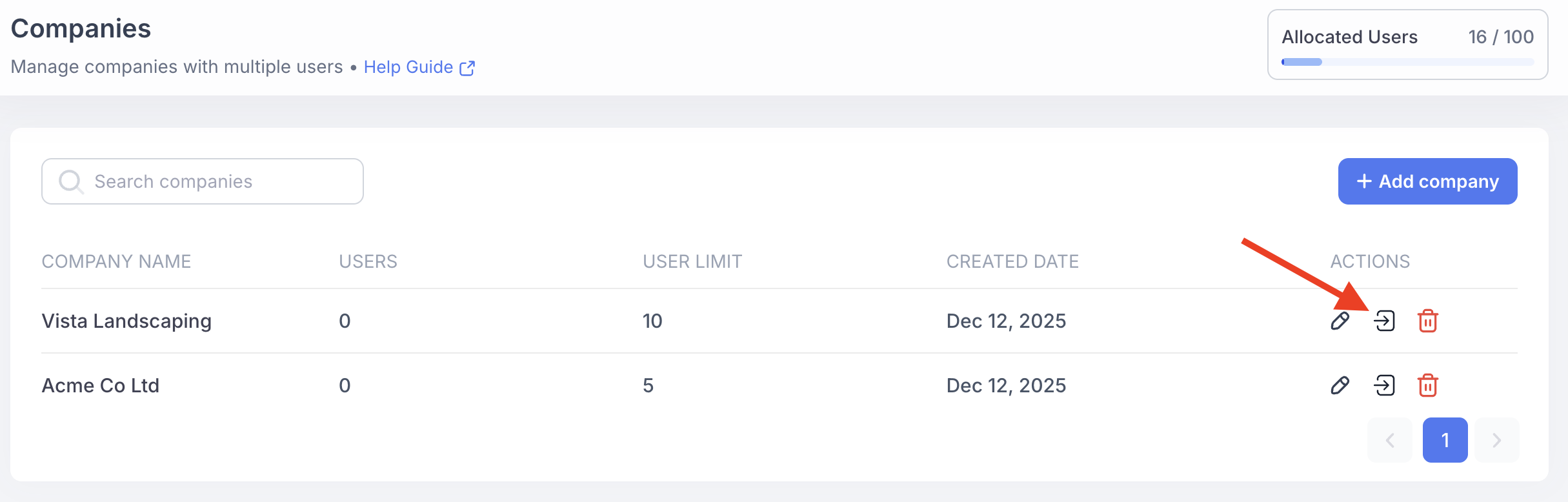
Go to Companies
Locate the company in the list and click Access
You will be logged in as a company admin and can manage the company exactly as they would.
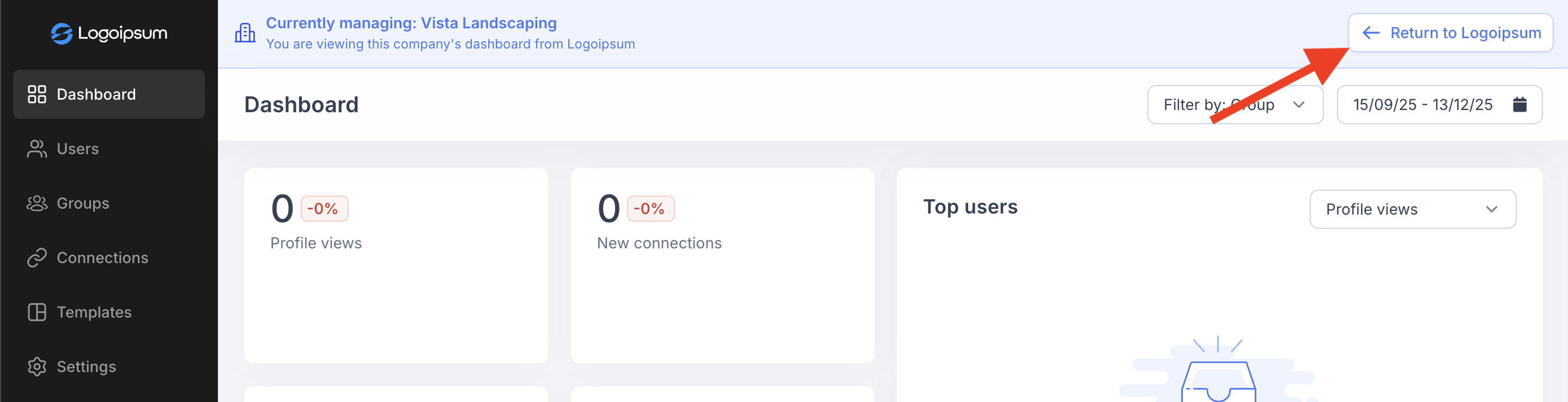
Returning to the admin dashboard
To exit company access, click Return to [AppName] in the top-right corner.
It is important to click Back to AppName. Refreshing the page or navigating manually may result in an error due to session handling.
Once the company has been created and you have accessed it, you can begin setting up the company workspace. This includes configuring company settings, custom domains, branding, and managing users. All of these items are independent to that company and won’t affect the white label dashboard or other companies.
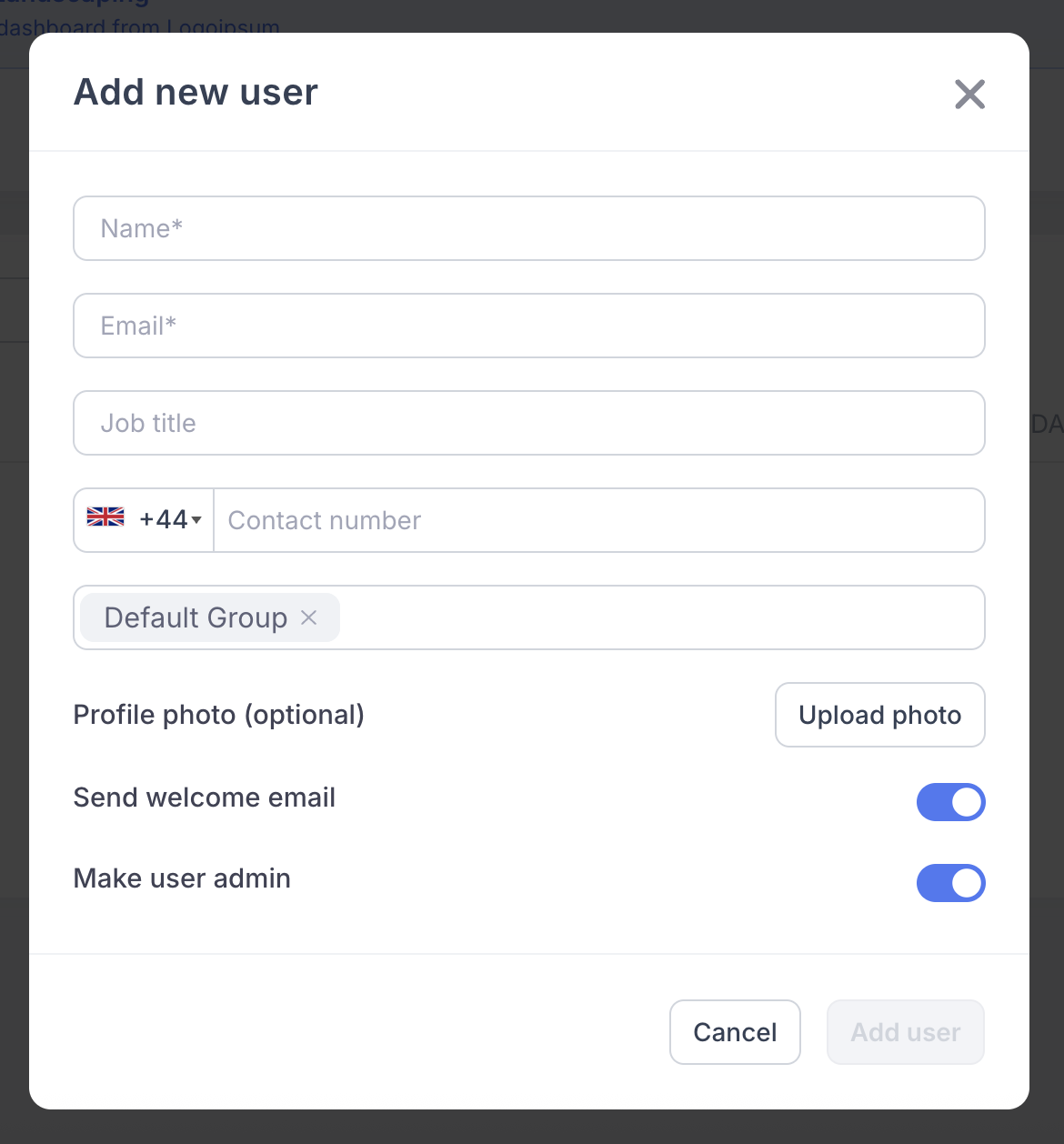
From the Users section, you can add new users to the company and choose whether to make them a company admin, which gives them access to the company admin dashboard to manage users, settings, and setup going forward.
Admins within a company will have no access to the other companies in your white label dashboard.
Each company can have two user roles.
Company admins
Invite and manage users within their company
Assign admin or user roles
Manage company-level templates, branding and settings
Access the company admin dashboard
Company users
Manage their own profiles
Customise personal details and cards
Do not have access to user management or company-wide settings
Your total license usage combines the number of users allocated across all companies and individual users. For example, if your plan includes 250 licenses and the white label admin has 4 users while your companies are set to 10, 5, and 15 users respectively, you have allocated 34 of 250 licenses (4 + 10 + 5 + 15).
There is no limit to the number of companies you can create. You are only limited by the total user allocation across all companies and individual users.
Additional company management features are in development, including:
Advanced role permissions
More granular control over what admins and users can access.
Company-level plans and limits
Apply feature restrictions or tiers at the company level.
Bulk user management
Faster onboarding and management for larger teams.
Automated billing
Ability to take payments using Stripe or other gateways.
These features will make company management more flexible and scalable.