Individual users are designed for solopreneurs or single-person businesses who do not require company-level user management.
The platform supports two user types:
Individual users
Designed for solopreneurs or single users who manage only their own profile.
Companies
Designed for teams (typically 5+ users) with admins and multiple users under one company account.
There are two ways individual users can be added to your platform.
You can manually create individual users from the Users tab in your white-label admin dashboard.
Steps:
Go to Users
Click Add user
Enter the user’s name and email
Choose whether to enable Send welcome email
Click Create user
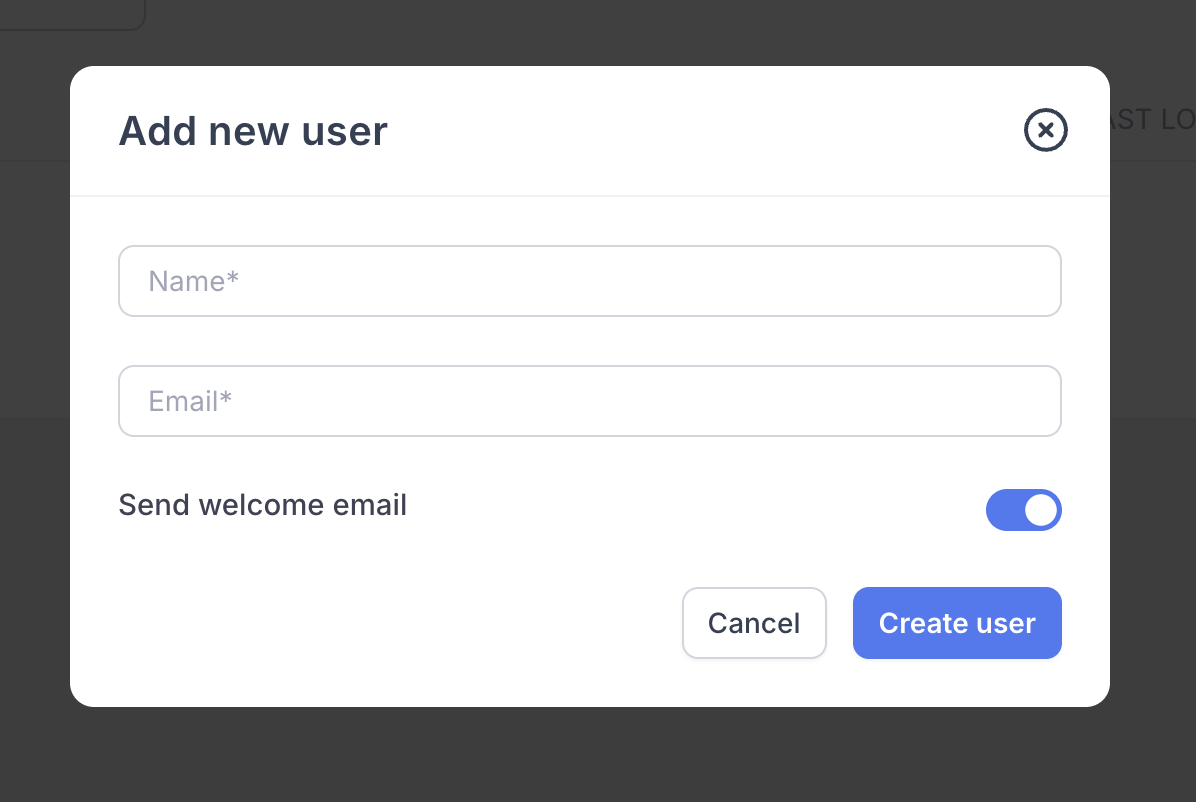
Welcome email toggle
Enabled:
The user will receive a welcome email and can immediately set their password and access their profile.
Disabled:
The user will not receive any emails from the platform. This is useful if you want to:
Set up the profile on their behalf
Configure branding or content first
Send access details later once everything is ready
Users can also create their own account via your sign-up page.
When a user signs up, they are automatically created as an individual user
The user receives full access to the platform immediately
This counts toward your total allocated user limit
As a white-label admin, you can access any individual user’s account directly.
Steps:
Go to Users
Find the user in the table
Click Access
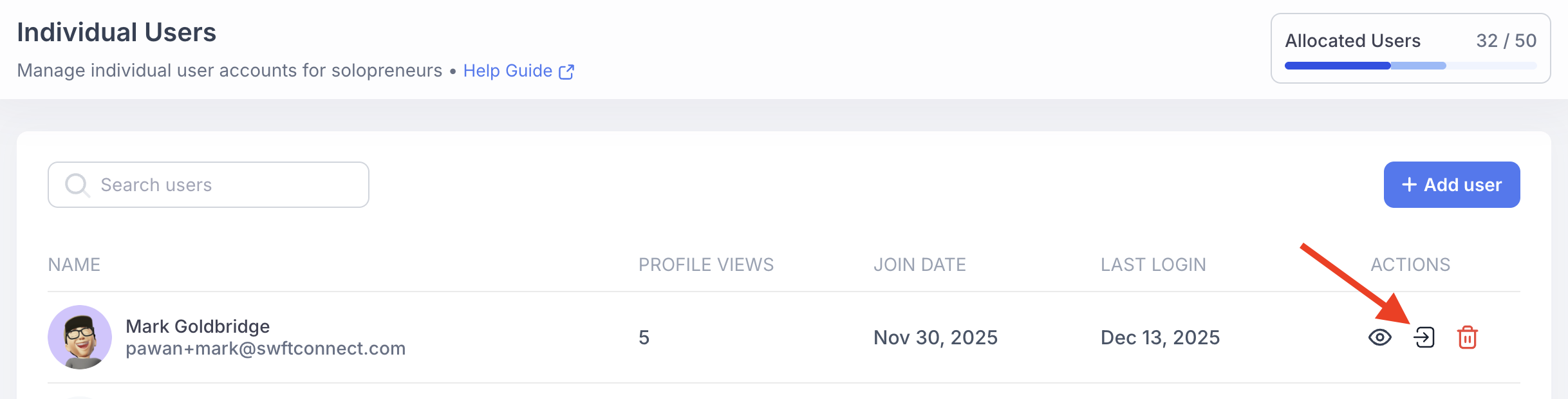
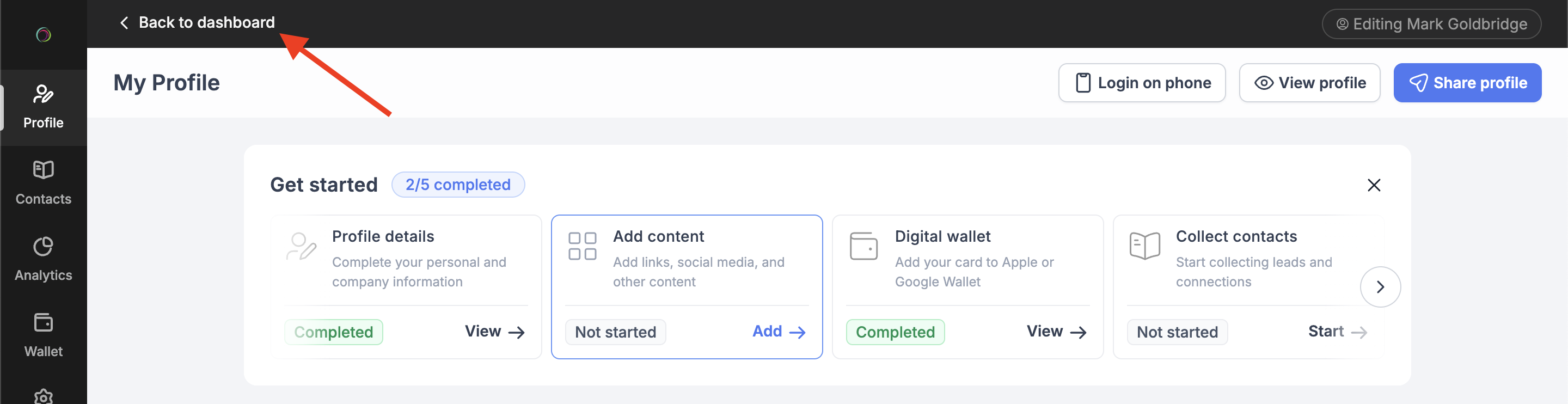
You will be logged in as that user and can edit their profile, adjust settings and configure domains or branding.
To return to your admin dashboard, click Back to dashboard in the top-left corner

When an individual user logs in, they effectively receive the equivalent of a Swft Pro - level experience.
They can:
Fully customise their profile
Set their own custom domain
Configure digital wallet branding
Access all available features
All users will see your white-label branding, including:
Your app domain
Your favicon
Your platform name and branding
Your sign-in and sign-up pages
From the user’s perspective, this is entirely your platform.
Every individual user counts toward your allocated user limit
Example:
Allocation: 50 users
Existing users: 20
New signup: 21 total users
This applies whether users are:
Added manually by you
Created via self-signup
We recommend monitoring your usage regularly to avoid exceeding your allocation.
Additional controls for individual users are in development, including:
Feature-based plans
Create different tiers (e.g. Lite, Plus, Pro) and enable or disable specific features per tier.
Signup control
Enable or disable the public sign-up page to prevent uncontrolled user creation.
User-to-company migration
Move an individual user into a company if they grow and need team management features.
These features will give you greater control over how individual users are onboarded and managed.